How I work
with AI.
I work with AI mostly in the terminal, using Codex and Claude Code to explore ideas, make plans and build software.
Here’s how the tools, plans and skills fit together—and how I guide several sessions at once.
 Codex
 Claude Code
Codex~/workbench/wavepoint
› Pick up SG-1721. Keep the tester guide simple.
Read the issue → edit → check → commit → PR → review → merge → deploy.
Ask Codex to do anything
The tools
behind the work.
Codex + Claude Code
AI coding assistants. I ask questions, work through plans, and have them read files, edit code and run checks.
Terminal + Codex and Claude desktop apps
Linear
My task tracker. Each task holds its plan and progress. Comments let people, agents and different AI models share decisions, screenshots and updates, collaborate and hand work off.
AI connection (MCP) · Desktop app
Google Drive
Shared documents and files. I use it for drafts and reference material that AI sessions can read while working on an assignment.
AI connection (MCP) · Web app
GitHub
Code storage and review. Proposed changes are grouped into pull requests, which I review before adding them to the main version of the code.
GitHub’s terminal tool (gh)
Vercel
Website hosting. I open preview versions to check changes before publishing, then verify that the live site works.
AI connection (MCP) · Next.js / React skills


Messaging apps
Chat with people and AI agents. I share documents, task links and results in chat, using integrations—especially in Slack—to access them from the conversation.
Slack · Telegram · WhatsApp · Discord
Skills that shape
the work.
Skills are reusable instructions that guide how AI works. These are a few cornerstones of my current workflow, not the full list.
- Grilling
Make the direction tangible.
I use grilling to explore ideas and challenge assumptions. We work through questions and often iterate on a prototype, turning the discussion into a clearer plan for implementation.
- frontend-design + Prototype
Make the idea visible.
Turn a direction into a concrete interface I can inspect and respond to.
- Ponytail
Keep the implementation simple.
Reuse what exists, limit unnecessary complexity and keep the code understandable.
- Impeccable
Improve the experience.
Shape and review layout, typography, clarity and interaction as the work develops.
Good work starts
with a clear plan.
I use grilling to shape one or several Linear tickets. Each ticket carries its plan, and can go through another grilling session when the work needs more clarity.
Grill the idea.
Clarify the outcome,
constraints and open questions.
Build the tester guidePlan attached
- Outcome
- Give testers a clear place to start.
- Scope
- Reuse the current page and shared components.
- Review
- Check the guide on desktop, phone and keyboard.
Capture the app walkthroughPlan attached
- Outcome
- Show the steps a tester needs to follow.
- Scope
- Capture the entry point, settings and return path.
- Review
- Review the screenshots and navigation sequence.
Write the invitationPlan attached
- Outcome
- Help testers understand how to get started.
- Scope
- Use the shared draft and keep the invitation concise.
- Review
- Review the wording and links before sending.
Grill a ticket again. Update its plan. Pick up from there.
Illustrative tickets from one idea. Open a ticket to see its plan.
One task, from plan to review.
Here’s a real example: a WavePoint iPhone widget. We recorded what to build in a Linear task. The AI session then added progress notes and screenshots to that same task for review.
The planShow the current sky and Moon details, with agreed behavior and implementation steps. 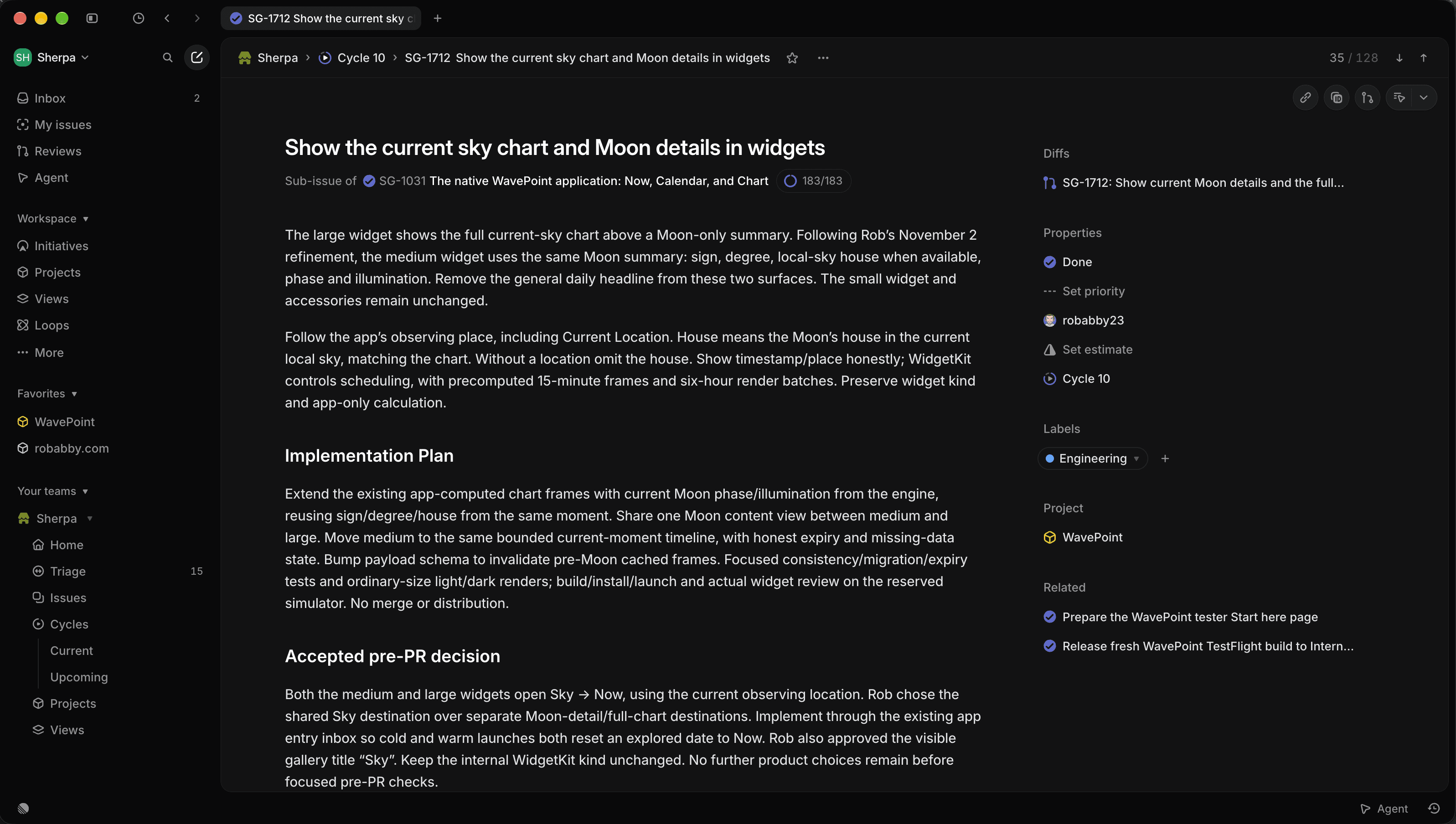
The reviewThe session posts what changed, which checks passed and a screenshot I can inspect. 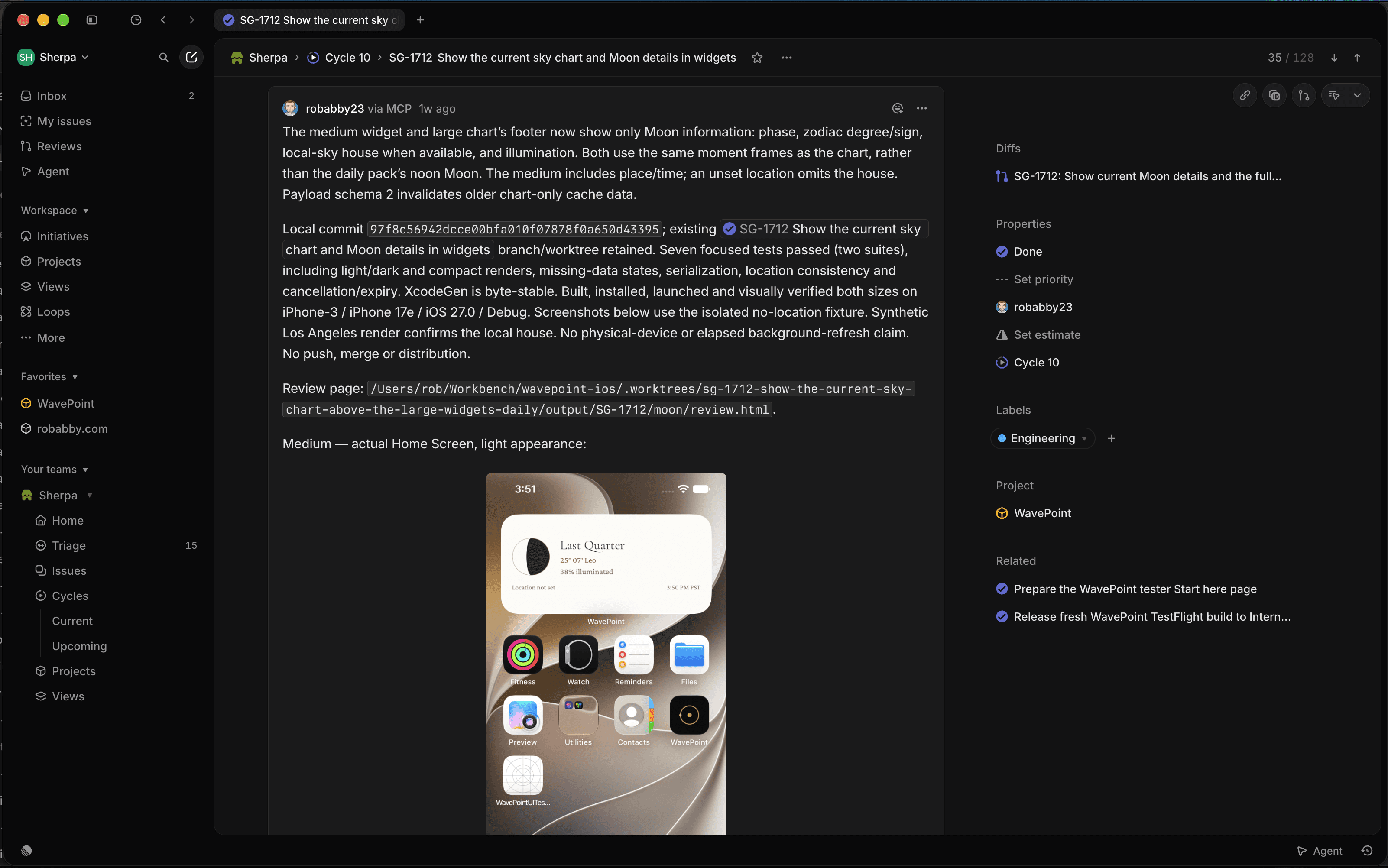
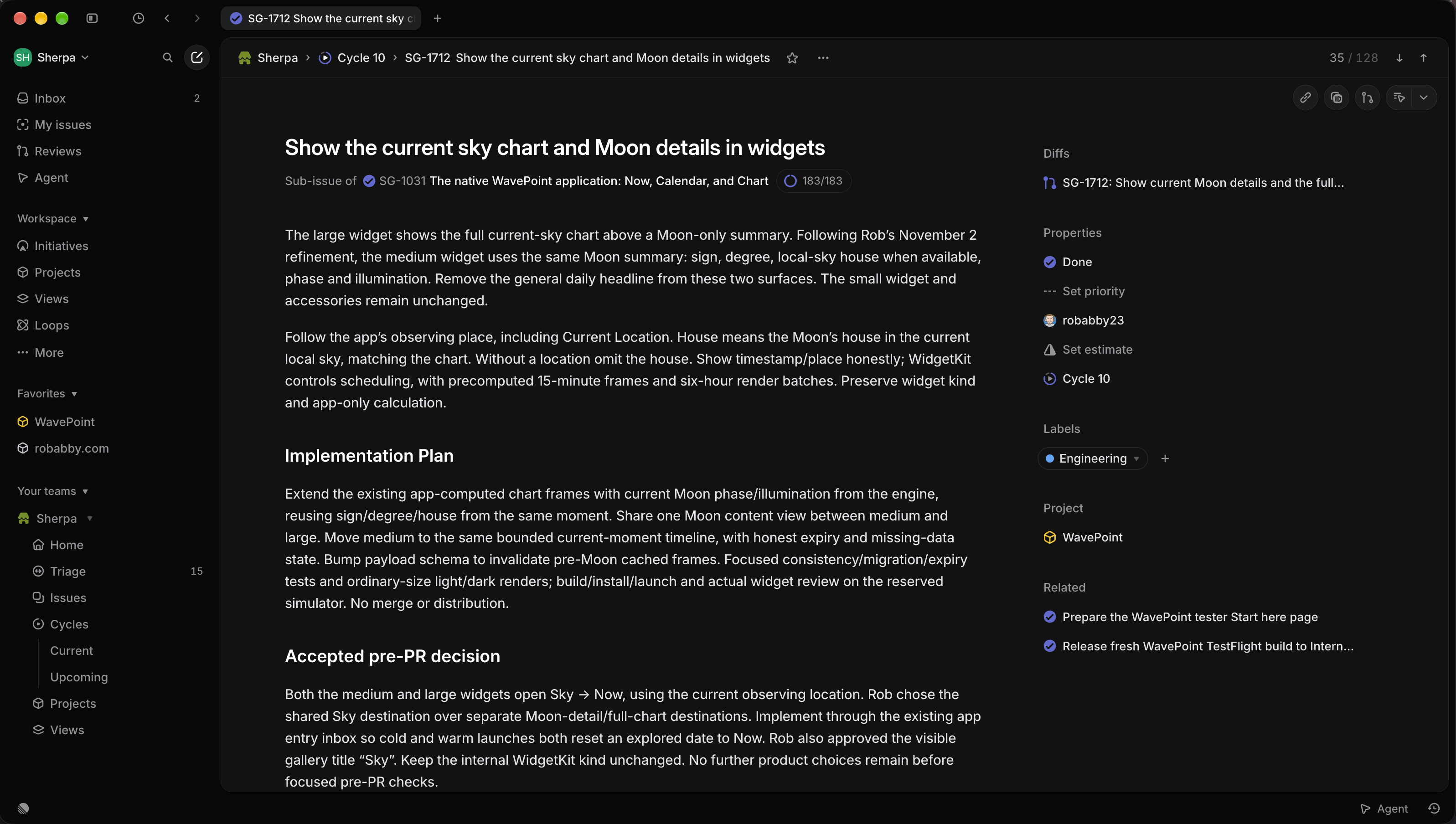
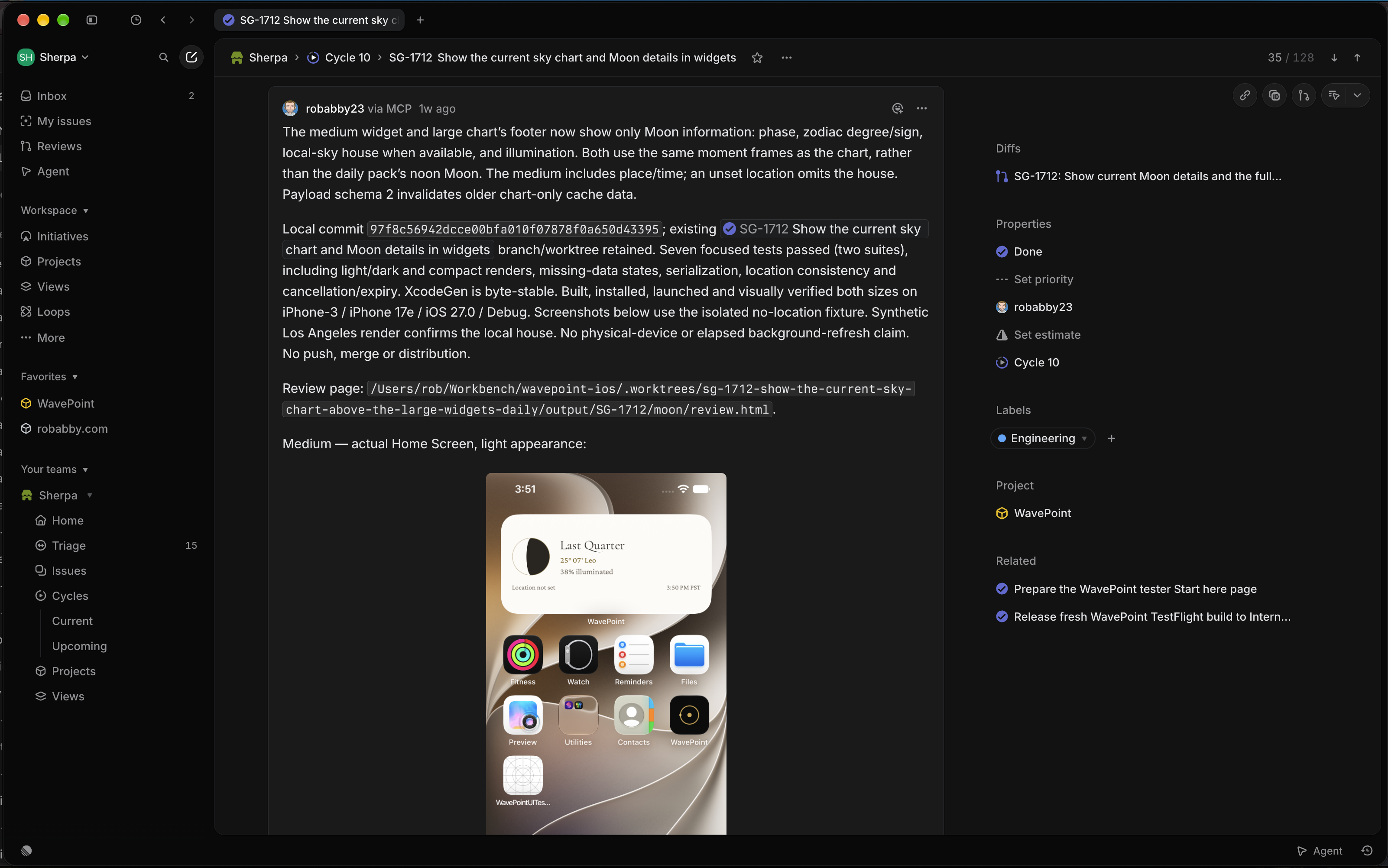
Both screenshots show the same task. Select an image to view it full size.
Working in parallel.
When working in the terminal, I generally aim for three or four concurrent AI sessions actively building or working on something. I try not to stay above four parallel sessions for too long due to the cognitive load. It depends on the work.
Four concurrent sessions across projectsIllustrative snapshot
- WavePoint iOSJournal navigationBuildingImplementing the agreed navigation changes.
- WavePoint webTester guideShapingClarifying the page structure and what belongs in the ticket.
- robabby.comAI workflow pagePrototypingMaking a visual example to review together.
- WavePoint contentReading copyGrillingResolving the audience, tone and boundaries of the assignment.
I move between sessions
Answer questions, inspect the work and give feedback. The plans keep the context with each assignment.
My terminal workspace
Tabs keep separate conversations available as I move between projects. Here, the Moments session moves from a merged change into the next design question. Open tabs aren’t necessarily all actively working.
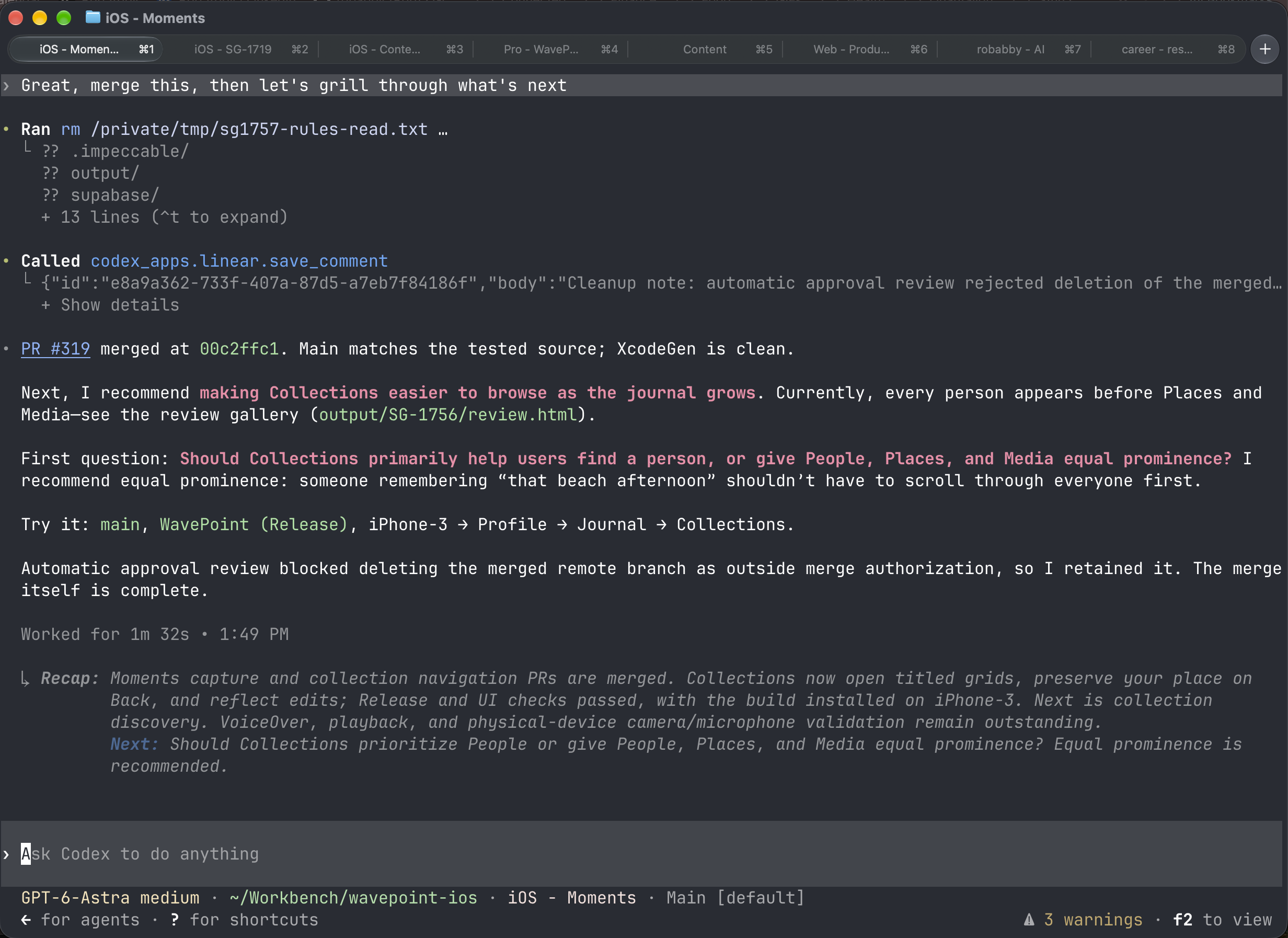 Open full-size screenshot →
From the terminal to working screens.
Some sessions build iOS features in separate simulators, while others update the website or develop content. I review working screens, screenshot walkthroughs and proposed changes as the work progresses.
Three simulator views. Swipe to explore.
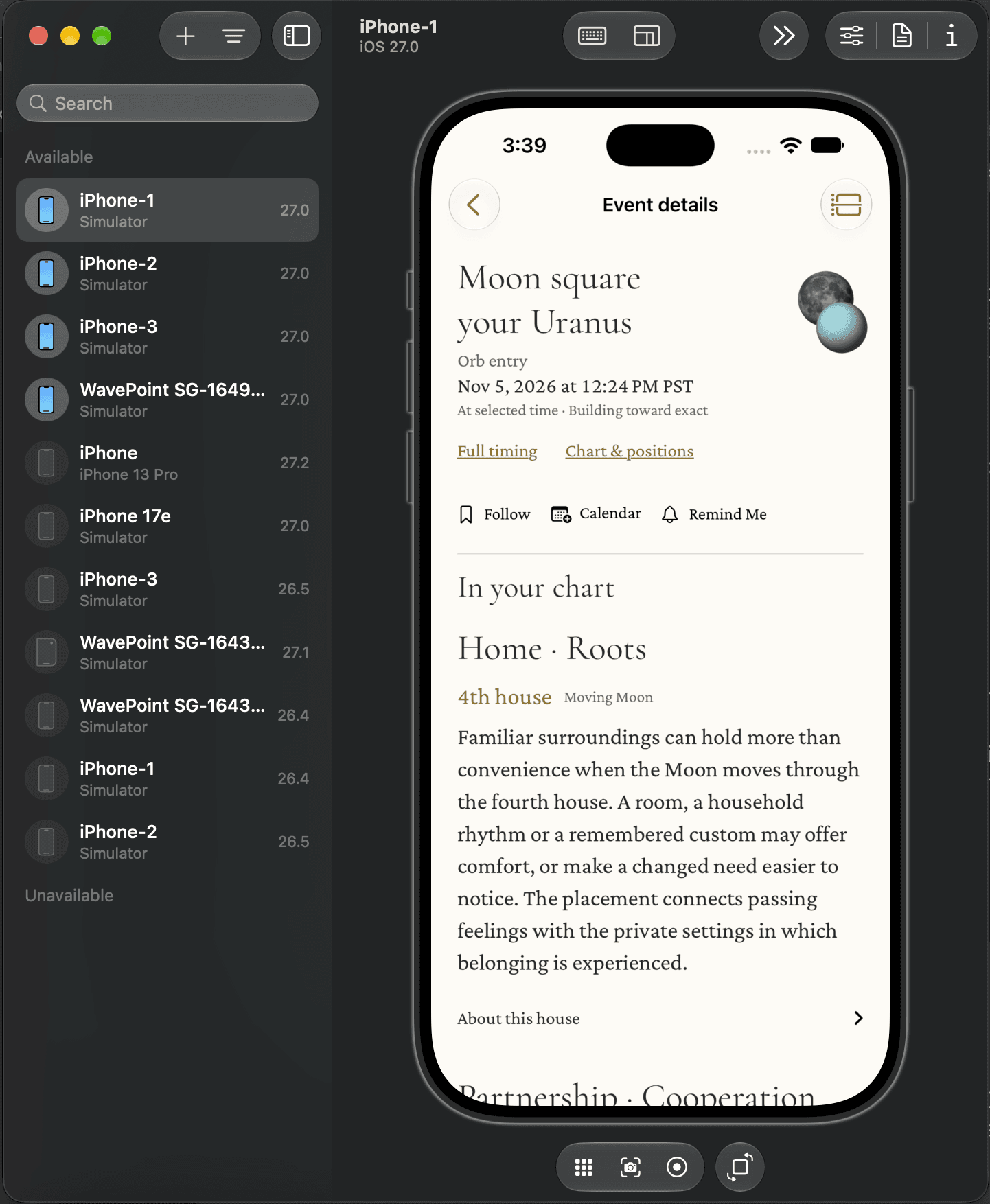
Event detailsiPhone-1 · Open full size 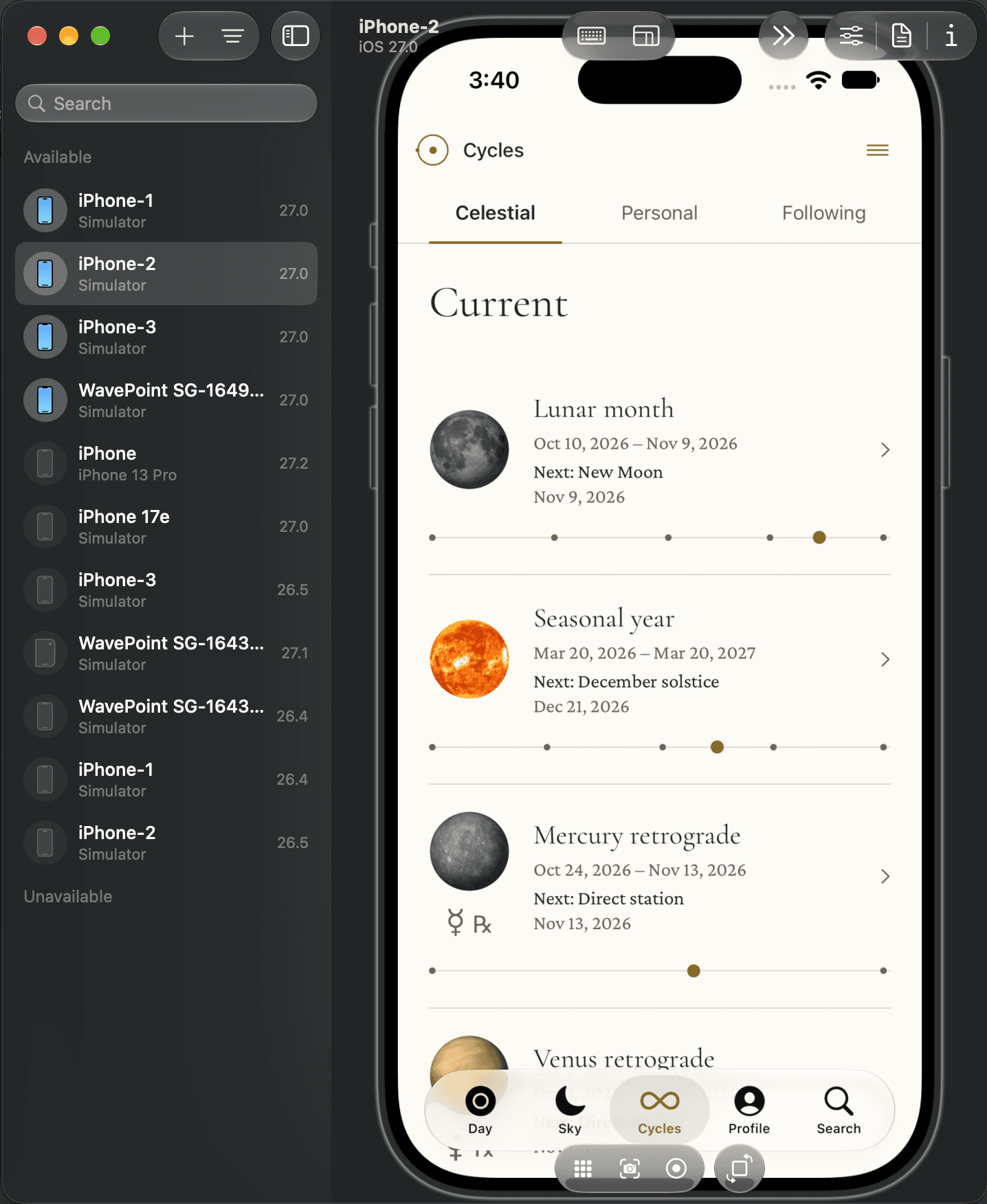
CyclesiPhone-2 · Open full size 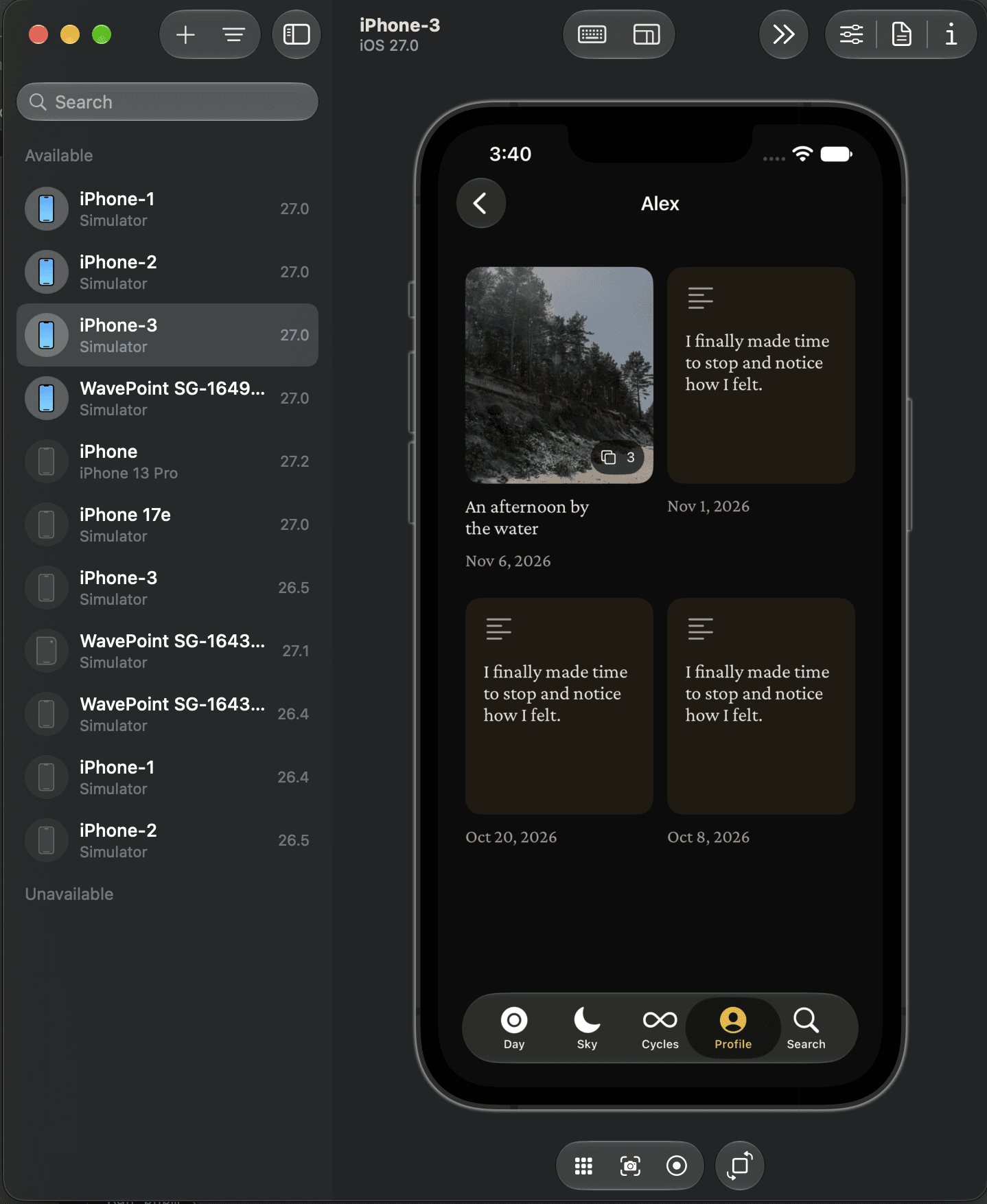
MomentsiPhone-3 · Open full size
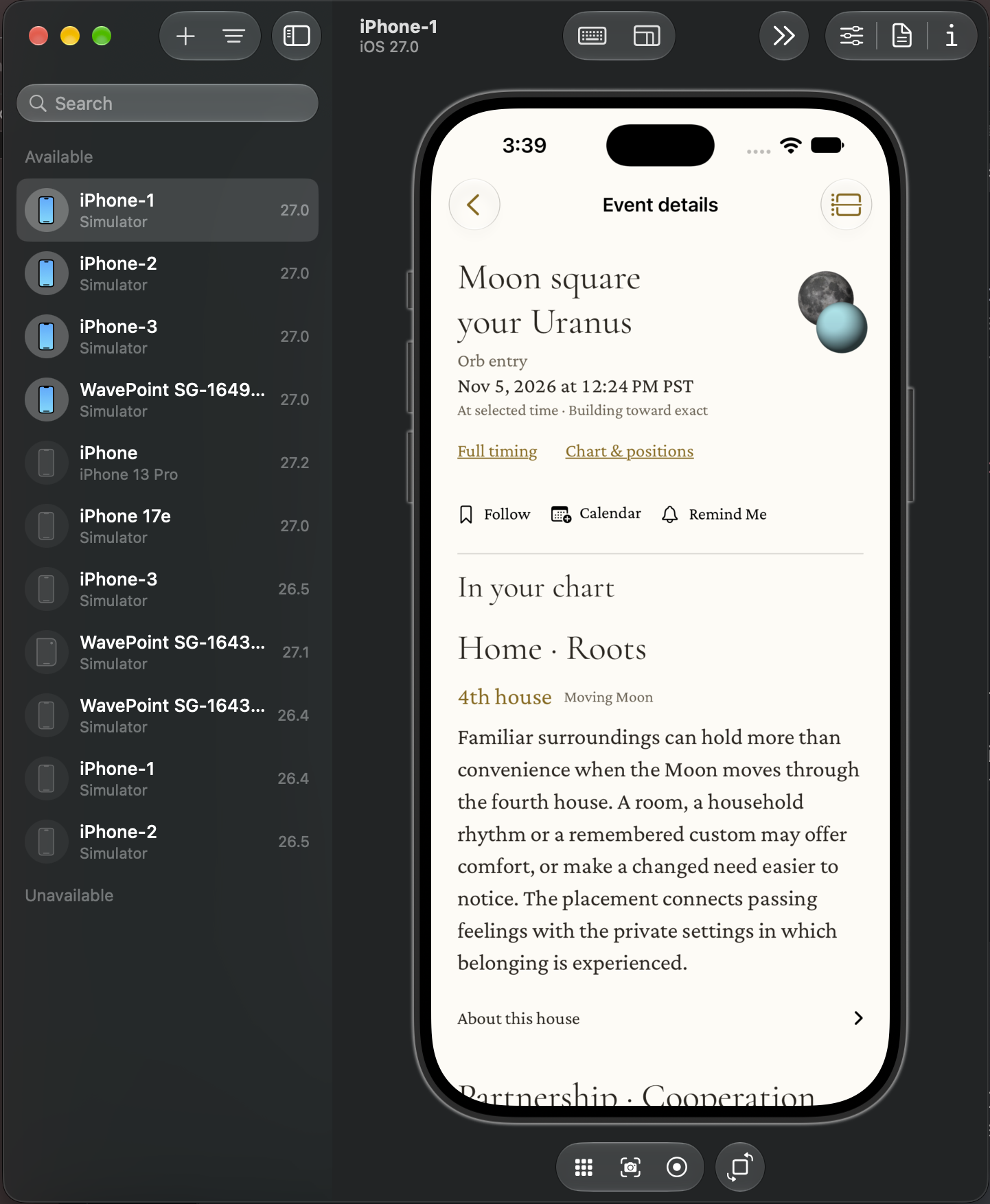
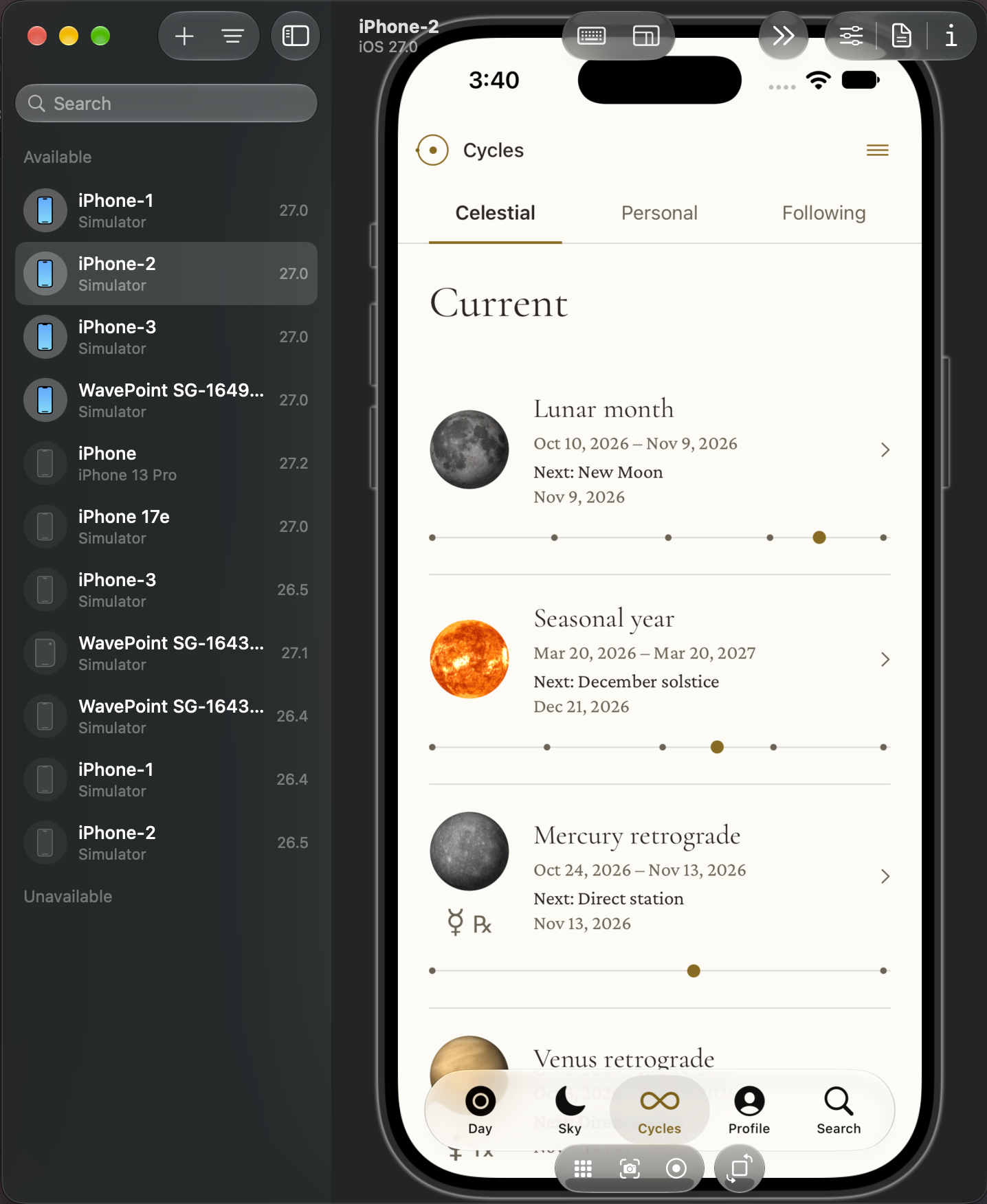
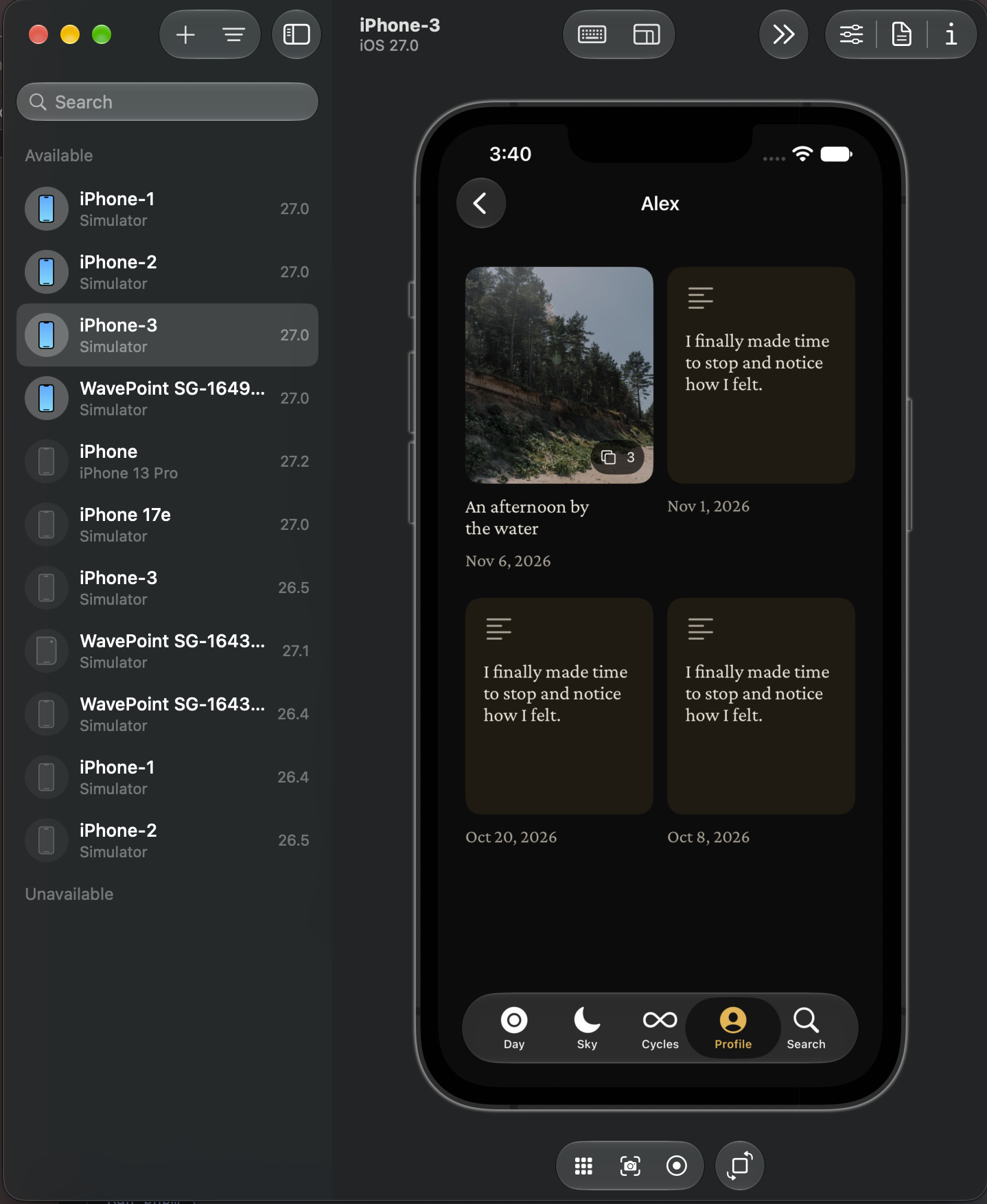
WavePoint development previews in three separate iOS simulators, captured in Device Hub. Select an image to view it full size.
Read the simulated workflow
Rob · giving direction
Pick up SG-1721. Keep the tester guide simple and reuse what we already have.
Codex · reading the brief
I’ll read the issue and inspect the current page first.
Linear · assignment
Called linear.get_issue SG-1721
Linear · assignment
Prepare the tester guide
Scope: clear steps, expandable examples, private beta access.
Git · isolated workspace
Ran git status --short
Ran git worktree add -b sg-1721-tester-guide ../wavepoint-sg-1721 origin/main
Git · isolated workspace
Working directory: ../wavepoint-sg-1721
Branch: sg-1721-tester-guide
Codex · inspecting files
Ran rg -n "ScreenshotFlow" app/testing
Codex · inspecting files
app/testing/page.tsx:42: <ScreenshotFlow steps={steps} />
Codex · making changes
Edited app/testing/page.tsx
Codex · making changes
+ <details>
+ <summary>See how to get started</summary>
+ <ScreenshotFlow steps={steps} />
+ </details>
Checks · lint and build
Ran pnpm lint && pnpm build
Checks · reviewing behavior
Lint passed · production build completed
Browser checks: desktop, phone, keyboard, expand / collapse.
Git · committing changes
Ran git diff --check
Ran git add app/testing/page.tsx
Ran git commit -m "feat(testing): simplify tester guide (SG-1721)"
Git · committed
[sg-1721-tester-guide a31b8e2] feat(testing): simplify tester guide
1 file changed
GitHub · opening a pull request
Ran git push -u origin sg-1721-tester-guide
Ran gh pr create --title "Simplify tester guide" --body-file /tmp/sg-1721-pr.md
GitHub · ready for review
PR #248 opened · summary and verification notes attached
GitHub · checking the PR
Ran gh pr checks 248 --watch
GitHub · checks passed
Build passed · preview ready
Rob · reviewing the result
The guide is ready to review. I’ve linked the preview and checks in Linear.
Rob · approving delivery
Looks good. Merge it and check production.
GitHub · merging approved work
Ran gh pr merge 248 --squash
GitHub · merged
PR #248 merged into main · commit b72c910
Vercel · deploying
Called Vercel MCP · inspect production deployment
Vercel · deployment ready
Production deployment: READY
Source commit: b72c910
Browser · verifying delivery
Checked production /testing in the browser
Browser · verified
Guide loads · navigation works · examples expand
Linear · recording the outcome
Called linear.update_issue SG-1721 → Done
Complete · simulation repeats
The guide is live. The PR, checks and deployment are recorded in Linear.